Downloading apps is something most of us do without thinking twice.
But here’s the reality: not every app is safe—even on trusted platforms like the Google Play Store.
Some apps are designed to look legitimate while quietly collecting data, charging hidden fees, or misleading users. The good news is that with a few simple checks, you can avoid most of these risks.
This guide will walk you through how to check if an app is safe, what warning signs to look for, and how to protect yourself before installing anything.
Why App Safety Matters Today
Mobile apps now have access to a huge amount of personal information.
An unsafe app can:
- Access your contacts, messages, or files
- Track your location or activity
- Charge subscriptions without clear consent
- Send spam or phishing messages from your device
What makes this tricky is that many risky apps don’t look suspicious at first glance.
Can Apps on Google Play Store Be Fake?
Yes—although the Google Play Store has strong security systems, fake or harmful apps can still occasionally slip through.
This usually happens when:
- Apps behave normally at first, then change later
- Developers imitate trusted brands or services
- Reviews are manipulated to look genuine
Most apps are safe—but it’s always worth doing a quick check before installing.
SPONSORED
Common Signs an App Might Be Dangerous
Here are some of the most common warning signs to watch for:
1. Unrealistic Promises
Apps that claim “instant money,” “free rewards,” or “guaranteed results” are often misleading.
2. Strange or Repetitive Reviews
Look for:
- Generic 5-star reviews
- Repeated phrases
- Complaints about charges or scams
3. Unknown Developers
If the developer has no website, history, or other apps, be cautious.
4. Too Many Permissions
Be careful if an app asks for access to:
- Contacts
- SMS
- Storage or microphone
…especially if it doesn’t clearly need them.
5. Redirects or External Links
Apps that push you to external websites may be part of phishing attempts.
How to Check if an App is Safe
You don’t need technical expertise—just follow these simple steps:
Step 1: Review the App Details
Check the developer name, number of downloads, and last update date.
Step 2: Read User Feedback Carefully
Focus on negative reviews and look for repeated complaints.
Step 3: Check Permissions
Ask yourself:
👉 Does this app really need this level of access?
Step 4: Take a Moment Before Installing
If something feels off, it usually is. Avoid rushing—especially if the app was shared with urgency.
When Should You Be Extra Careful?
Some situations carry higher risk than others:
- You received an app link via WhatsApp or SMS
- The app promises money, rewards, or loans especially something unrealistic
- The app is unfamiliar or newly released
- You’re being asked to act quickly or urgently
In these cases, it’s better to pause and verify before installing.
🔗 If You Receive an App Link
Many scams don’t start inside the app store—they start with a link or file shared through messages.
Before opening or installing anything:
- Check where the link leads
- Make sure it points to the real Google Play Store
- Be cautious of shortened or unfamiliar URLs
⚠️ Avoid Installing APK Files from Messages
Sometimes, instead of a Play Store link, you may receive an APK file directly (e.g., on WhatsApp or SMS).
APK files are used to install apps manually—but they also bypass the security checks of the Google Play Store.
This makes them a common method for spreading:
- Fake apps
- Malware or spyware
- Modified apps with hidden behaviour
👉 As a general rule:
Only install apps directly from the official Google Play Store or App Store.
💬 If the App Came With a Message
Scam apps are often shared with convincing messages like:
- “Limited-time offer…”
- “Urgent update required…”
- “Please pay your Electricity Bill today…”
- “Please note the fine on your vehicle…”
These messages are designed to create urgency and reduce hesitation.
A good rule of thumb:
👉 If a message pressures you to act quickly, take a step back instead. Check it in a message checker to identify scam patterns.
What to Do If an App Seems Unsafe
If you suspect an app may be risky:
- Do not install it
- Uninstall it immediately if already installed
- Review and remove unnecessary permissions
- Monitor for unusual activity (like unknown charges)
- Report the app through Google Play
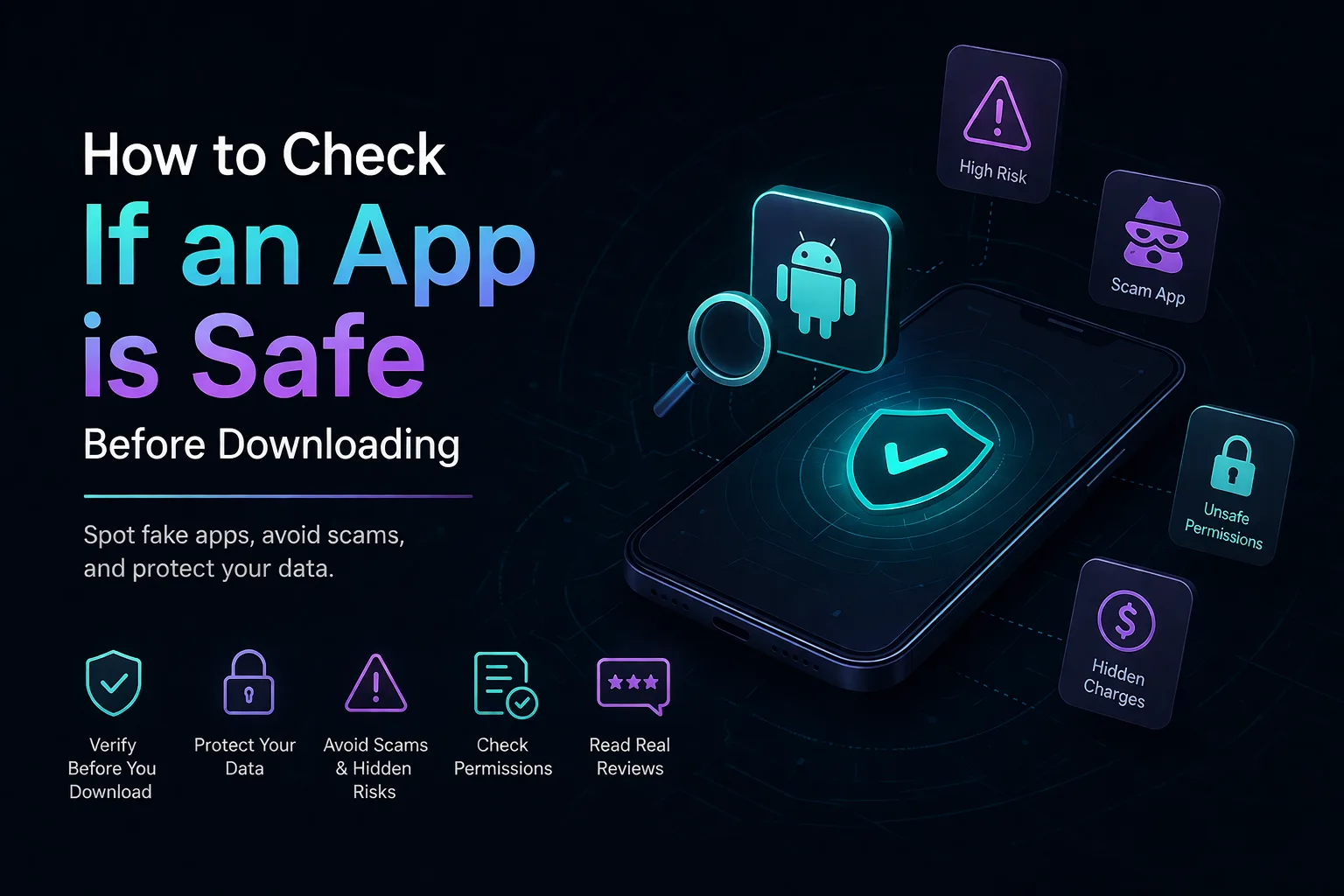
Quick App Safety Checklist
Before installing any app, run through this:
- Trusted or known developer
- Genuine user reviews
- No suspicious permissions
- No unrealistic promises
- No pressure to act quickly
A Smarter Way to Stay Safe
Manually checking apps works—but it can be time-consuming and easy to miss things.
If you want a quicker way to verify apps, links, or suspicious messages, you can explore a set of free app, message, and URL safety tools designed to help identify suspicious behaviour, phishing risks, and scam patterns before you install, click, or respond.
App Safety Check Questions
How do I know if an app is safe or a phishing app?
A safe app usually comes from a trusted developer, has genuine reviews, and only requests necessary permissions. Phishing apps often imitate real apps and try to collect sensitive information or redirect users to unsafe sites.
Can apps on Google Play Store be fake?
Yes, while the Google Play Store has strong protections, some fake or misleading apps can still appear. It’s always a good idea to verify apps before downloading. You can use the App Safety Checker for this. Even legitimate app stores can take time to detect harmful behaviour, especially if an app changes after approval or uses deceptive tactics that only become visible after installation. That’s why checking app permissions, reviews, and developer credibility is still important.
What permissions are risky in apps?
Permissions like access to SMS, contacts, microphone, storage, and location can be risky if they aren’t essential for the apps functionality.
Is it safe to install apps from WhatsApp or SMS links?
Not always. Many scams spread through messaging platforms. It’s important to verify links and avoid installing apps directly from unknown sources.
What should I do if I already installed a suspicious app?
Uninstall it immediately, remove its permissions, check your device for unusual activity, and keep an eye on any unexpected charges or messages.
Do I need a tool to check app safety?
Not necessarily—but tools like the Google Play App Safety Checker can help speed up the process and highlight risks that are easy to miss during manual checks.